
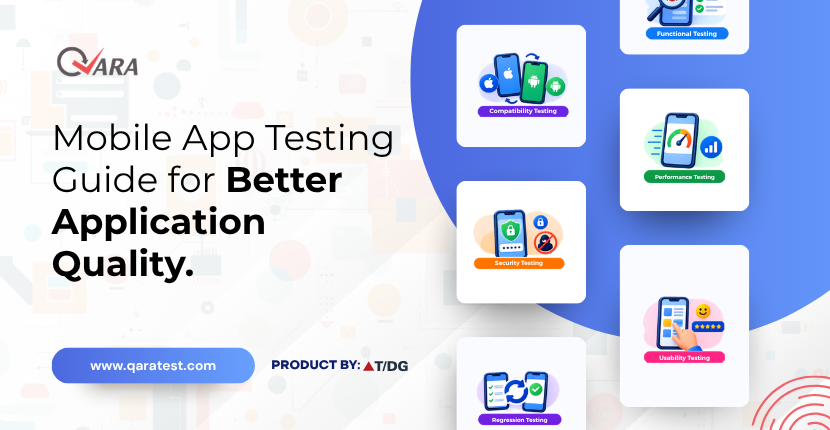
The Ultimate Guide to Mobile App Testing for Better Quality
What Is Mobile App Testing and Why Is It Important?
Mobile applications need to work reliably across different devices, operating systems, screen sizes, and user conditions. Mobile app testing helps identify functional issues, interface problems, compatibility gaps, and unexpected behaviour before they affect users. It involves checking how an application performs across supported mobile environments and ensuring that key features work as expected on different platforms.
As mobile usage continues to expand, testing only on a single device or operating system may not provide sufficient coverage. QARA supports mobile functional UI test automation across iOS and Android devices, helping QA teams test applications across different mobile environments. This guide covers the important areas of Mobile App Testing, including Android Testing, iOS Testing, Mobile Automation, Device Testing, and Cross-platform Testing.
How Do Android Testing and iOS Testing Differ?
Mobile applications can behave differently depending on the operating system, device configuration, and platform-specific features. Android testing helps teams verify application behaviour across the wide range of Android devices and configurations available to users. It can help identify issues related to device compatibility, screen layouts, operating system versions, navigation, and application functionality.
iOS testing, meanwhile, focuses on validating application behaviour across supported apple devices and iOS versions. Testing helps ensure that application features, interfaces, navigation, and user interactions work as intended within the iOS environment. Testing both platforms is important when an application is designed for a broad mobile audience, as an issue identified on one platform may not necessarily appear on the other.
QARA Test supports functional UI test automation for mobile applications across physical and virtual android and iOS devices, allowing teams to extend their testing coverage across different mobile environments. This can help QA teams identify platform-specific issues earlier and deliver a more consistent application experience.
How Do Mobile Automation and Device Testing Improve Test Coverage?
Testing a mobile application manually across multiple devices can require significant time and repeated effort, particularly when the same test scenarios need to be executed after every application update. Mobile Automation helps QA teams automate repetitive functional checks, making it easier to execute test scenarios consistently and repeat them across different testing cycles.
Device Testing is equally important because mobile users access applications through different devices, screen sizes, operating system versions, and configurations. Testing across relevant device environments can help identify issues that may not appear on a single device, such as interface inconsistencies, navigation problems, or unexpected application behaviour.
QARA Test supports functional UI test automation on physical and virtual Android and iOS devices, helping teams automate test scenarios while extending coverage across different mobile environments. By combining automation with appropriate device coverage, QA teams can reduce repetitive testing effort, identify issues earlier, and maintain more consistent validation throughout the application lifecycle.
How Does Cross-Platform Testing Support Mobile QA?
Mobile applications developed for multiple platforms need to provide a consistent experience while still accounting for differences between operating systems and devices. Cross-platform Testing helps QA teams validate application functionality across different mobile platforms, making it easier to identify platform-specific issues before they affect users. It can cover areas such as navigation, user interactions, screen layouts, and core application functionality across supported environments.
Effective Mobile QA also requires more than checking whether an application opens and responds correctly. QA teams need to verify important user flows, identify compatibility issues, and ensure that changes introduced during development do not affect existing functionality. Testing across relevant devices and platforms provides broader coverage and helps teams identify issues that may otherwise remain unnoticed.
QARA Enterprise supports functional UI test automation across physical and virtual Android and iOS devices, helping QA teams execute consistent test scenarios across mobile environments. Combining cross-platform coverage with structured Mobile QA practices can help organizations improve test consistency, identify defects earlier, and deliver more reliable mobile applications.
What Are the Best Practices for Mobile Application Testing?
Following Mobile application testing best practices helps QA teams create a structured approach to validating applications across different devices and operating systems. Rather than testing only the primary user flow, teams should consider the range of environments in which the application is expected to operate and prioritize testing based on user needs and application functionality.
Some important practices include:
- Define device and platform coverage: Identify the Android and iOS versions, devices, and configurations that require testing based on the target audience.
- Prioritize critical user journeys: Focus on essential workflows such as login, navigation, transactions, registrations, and other frequently used features.
- Combine manual and automated testing: Use automation for repetitive functional scenarios while applying manual testing where human observation and exploratory validation are valuable.
- Test across relevant devices: Validate application behaviour across physical or virtual devices to identify device-specific compatibility and interface issues.
- Repeat tests after changes: Re-run important test scenarios after updates or new releases to detect regressions early.
- Maintain consistent test scenarios: Use structured and repeatable test cases to improve coverage and make results easier to compare across platforms.
- Review and improve test coverage: Monitor recurring issues and testing gaps to continuously refine the mobile QA process.
QARA supports functional UI test automation across physical and virtual Android and iOS devices, helping teams automate repeatable test scenarios and extend functional test coverage across mobile environments.
Key Takeaways on Mobile App Testing
Mobile app testing is an important part of delivering reliable applications across different devices and operating systems. From android testing and iOS testing to mobile automation, device testing, and cross-platform testing, a structured approach helps QA teams identify functional and compatibility issues while improving test coverage. Following effective mobile application testing practices also helps teams validate critical user journeys and maintain consistent application quality through different release cycles.
With QARA Enterprise, QA teams can automate functional UI testing across physical and virtual Android and iOS devices. By combining automated testing with appropriate device and platform coverage, organizations can reduce repetitive testing effort, identify issues earlier, and improve confidence in mobile application releases. A well-planned testing approach enables businesses to deliver mobile applications that provide reliable and consistent user experiences.
Ready to improve your mobile application testing process? Start your free trial of QARA today and explore a more efficient approach to functional UI test automation.
Key Questions About Mobile App Testing
What is Mobile App Testing? Mobile App Testing is the process of evaluating a mobile application's functionality, usability, compatibility, and behaviour across different devices and operating systems. It helps identify issues before an application is released to users.
Why is Android Testing important? Android Testing helps verify that an application works correctly across different Android devices, operating system versions, screen sizes, and configurations. It can help identify compatibility and platform-specific issues.
Why is iOS Testing required for mobile applications? iOS Testing helps ensure that an application functions correctly across supported Apple devices and iOS versions. It can identify platform-specific issues that may not appear during testing on other operating systems.
How does Mobile Automation improve testing? Mobile Automation helps QA teams automate repetitive functional test scenarios and execute them consistently across multiple testing cycles. This can reduce repetitive manual effort and support broader test coverage.
What is Device Testing in mobile app testing? Device Testing involves validating an application across relevant physical or virtual mobile devices. It helps identify issues related to device configurations, screen sizes, operating system versions, and application behaviour.
Why is Cross-platform Testing important? Cross-platform Testing helps verify that an application provides consistent functionality across different mobile platforms. It can also help QA teams identify platform-specific issues and compatibility gaps.
What are some Mobile application testing best practices? Important practices include defining appropriate device coverage, prioritizing critical user journeys, combining manual and automated testing, repeating tests after application changes, and continuously reviewing test coverage.
Can QARA automate mobile application testing? Yes. QARA Test supports functional UI test automation across physical and virtual Android and iOS devices, helping QA teams automate repeatable test scenarios and extend mobile test coverage.