

How to Improve Web Application Quality Through Testing
What Is Web Application Testing and Why Is It Important?
Web applications are used for everything from online transactions and employee services to customer portals and business operations. Since users access these applications through different browsers, devices, operating systems, and network conditions, ensuring that every function works as expected is an important part of software quality. Web Application Testing helps teams evaluate an application's functionality, usability, performance, compatibility, and overall reliability before and after deployment.
Web application testing involves checking different parts of a web application to identify issues that could affect the user experience or business processes. It can include validating forms, navigation, authentication, integrations, user workflows, and other application functions. Testing across different browsers and environments also helps teams identify compatibility issues that may not appear in a single setup.
For QA teams, a structured approach to Web Application Testing can help identify defects earlier, improve test coverage, and support more reliable application releases. QARA Test provides automated testing capabilities that can help teams create and execute test scenarios across web applications, making it easier to validate critical workflows and maintain consistent testing as applications evolve.
How Do Website Testing and UI Testing Improve Web Application Quality?
Website Testing involves evaluating different aspects of a website or web application to ensure that its pages, features, links, forms, and workflows function as expected. It helps teams identify issues that could affect navigation, functionality, compatibility, or the overall user experience. Testing across different browsers and environments is also important because the same website may behave differently depending on the user's setup.
UI Testing focuses specifically on the application's user interface and how users interact with its visual elements. It can include checking buttons, menus, input fields, navigation elements, messages, layouts, and other interactive components. UI Testing helps verify that these elements respond correctly to user actions and support a consistent experience throughout the application.
Together, Website Testing and UI Testing provide broader coverage of both application functionality and user interaction. QARA Enterprise supports automated testing for web applications, helping QA teams validate user interfaces and application workflows across different testing scenarios. This can help teams identify interface and functionality issues more consistently as web applications are updated.
How Does Functional Testing Validate Web Application Features?
Functional Testing checks whether the features and functions of a web application work according to the expected requirements. It focuses on how the application responds to user actions and whether each function produces the intended result. For web applications, this can include testing login and authentication, forms, navigation, search, data submission, transactions, and other application workflows.
Functional Testing helps QA teams identify issues in individual features as well as problems that may occur when different functions work together. Testing these scenarios with different inputs and conditions can also help verify that the application handles expected and unexpected user actions correctly.
QARA Test supports automated testing for web applications, allowing teams to create and execute test scenarios for different application functions. By automating repeatable functional test scenarios, QA teams can perform consistent validation and identify defects as web applications change over time.
How Does Browser Testing Support Web Application Compatibility?
Browser Testing verifies whether a web application works correctly across different web browsers and their versions. Since users may access the same application through browsers such as Chrome, Firefox, Edge, or Safari, differences in browser behavior can affect page layouts, interactive elements, navigation, and application functionality.
Browser Testing helps QA teams identify compatibility issues that may not be visible when an application is tested in only one browser. It can include checking page rendering, forms, buttons, menus, scripts, and complete user workflows across supported browser environments. Testing across different combinations can help provide a more consistent experience for users.
QARA Enterprise supports automated testing across web environments, helping teams validate application behavior across different browser configurations. By automating repeatable browser-based scenarios, QA teams can improve testing consistency and identify compatibility issues as applications evolve.
How Does Performance Testing Evaluate Web Application Responsiveness?
Performance Testing evaluates how a web application behaves under different levels of workload and usage. It helps QA teams assess important factors such as response time, stability, scalability, and resource usage. Testing performance can be particularly important for applications that handle high user activity, frequent transactions, or data-intensive operations.
Performance Testing can include scenarios that simulate different numbers of users or workloads to identify performance issues before they affect real users. It can help teams determine whether pages load within expected timeframes, application functions respond consistently, and the system remains stable as demand changes.
As part of a broader web application testing strategy, QARA Test helps teams automate application test scenarios and validate critical workflows consistently. Combining functional validation with performance-focused testing can provide a more complete view of how a web application performs under different usage conditions.
What Should Be Included in a Web Application Testing Checklist Before Launch?
A Web Application Testing Checklist helps QA teams review important application areas before a website or web application is released to users. A structured checklist can help teams verify critical functions, user workflows, compatibility, and overall application behavior while reducing the chances of missing important test scenarios.
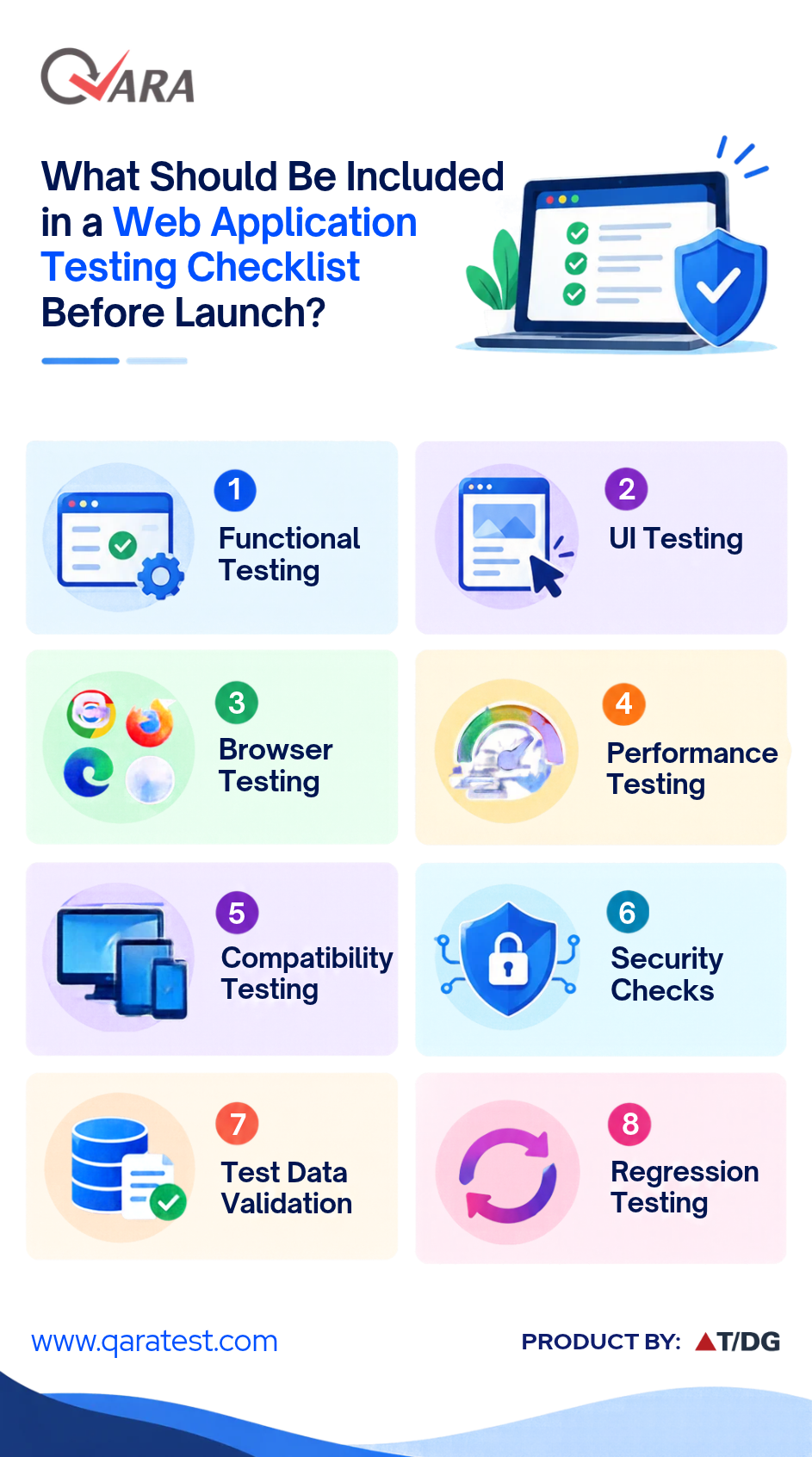
Before launch, teams can consider the following checks:
- Functional Testing: Verify that key features, forms, links, navigation, authentication, and workflows work as expected.
- UI Testing: Check buttons, menus, input fields, layouts, messages, and other interactive elements for consistent behavior.
- Browser Testing: Validate the application across supported browsers and browser versions.
- Performance Testing: Check response times, stability, and application behavior under expected workloads.
- Compatibility Testing: Verify that the application works correctly across supported devices, operating systems, and screen sizes.
- Security Checks: Validate authentication, access controls, session handling, and other relevant security requirements.
- Test Data Validation: Ensure test data is accurate, relevant, and suitable for the scenarios being executed.
- Regression Testing: Recheck critical workflows after fixes or changes to ensure existing functionality continues to work as expected.
Using a checklist before launch gives QA teams a structured way to review critical areas of a web application. QARA Enterprise can support automated test execution for web applications, helping teams repeatedly validate important workflows and application functions as part of their release testing process.
Key Takeaways on Web Application Testing
Web Application Testing plays an important role in validating whether a web application functions reliably across different user scenarios and environments. From Website Testing and UI Testing to Functional Testing, Browser Testing, and Performance Testing, each testing area helps teams identify different types of issues that can affect application quality and user experience. A structured Web Application Testing Checklist before launch can further help QA teams review critical functionality, compatibility, performance, security, and regression scenarios.
With the right testing approach and automation capabilities, QA teams can improve test coverage, perform repeatable validations, and identify defects more consistently throughout the application lifecycle. QARA Test supports automated testing for web applications, helping teams create and execute test scenarios across different application workflows and testing requirements.
Want to see how QARA Test can support your web application testing requirements? Book a live demo to explore its automated testing capabilities and understand how it can fit into your QA process.
In our next blog, we'll explore Test Management Tools and how they can help teams organize test cases, manage testing activities, track progress, and support more structured QA processes.
Answers to Common Web Application Testing Questions
What is Web Application Testing? Web Application Testing is the process of evaluating a web application to verify its functionality, usability, compatibility, performance, and reliability across different scenarios and environments.
Why is Web Application Testing important? Web Application Testing helps identify defects that can affect application functionality, user experience, browser compatibility, performance, and critical business workflows before and after deployment.
What is the difference between Website Testing and UI Testing? Website Testing covers different aspects of a website or web application, including functionality, navigation, compatibility, and workflows. UI Testing focuses specifically on the user interface and the behavior of elements such as buttons, menus, forms, and input fields.
What does Functional Testing check in a web application? Functional Testing verifies whether individual features and complete workflows perform according to the expected requirements. It can include testing authentication, forms, navigation, search, data submission, transactions, and other application functions.
Why is Browser Testing required for web applications? Browser Testing helps verify that a web application works correctly across supported browsers and versions. It can identify differences in page rendering, interactive elements, scripts, navigation, and functionality.
What is the role of Performance Testing in Web Application Testing? Performance Testing evaluates how a web application behaves under different workloads. It helps assess factors such as response time, stability, scalability, and resource usage.
What should a Web Application Testing Checklist include? A Web Application Testing Checklist can include Functional Testing, UI Testing, Browser Testing, Performance Testing, Compatibility Testing, security checks, test data validation, and Regression Testing.
Can Web Application Testing be automated? Yes. Many web application test scenarios can be automated, particularly repeatable functional, UI, browser, and regression scenarios. Automation can help QA teams perform consistent validations and improve test coverage.
How can QARA Test support Web Application Testing? QARA Test supports automated testing for web applications, helping teams create and execute test scenarios for different application workflows and functions. This can support repeatable testing as applications are updated and changed.
Can I see a live demo of QARA Test? Yes. You can book a live demo to explore QARA Test's automated testing capabilities and understand how it can support your web application testing requirements.